
Board-ready reports in one click
Branded A4 PDFs with figures frozen at generation and written from the numbers. Every page makes one statement, every report ends on how it was made, and none of it is written by AI.
One report centre, grouped by who reads it
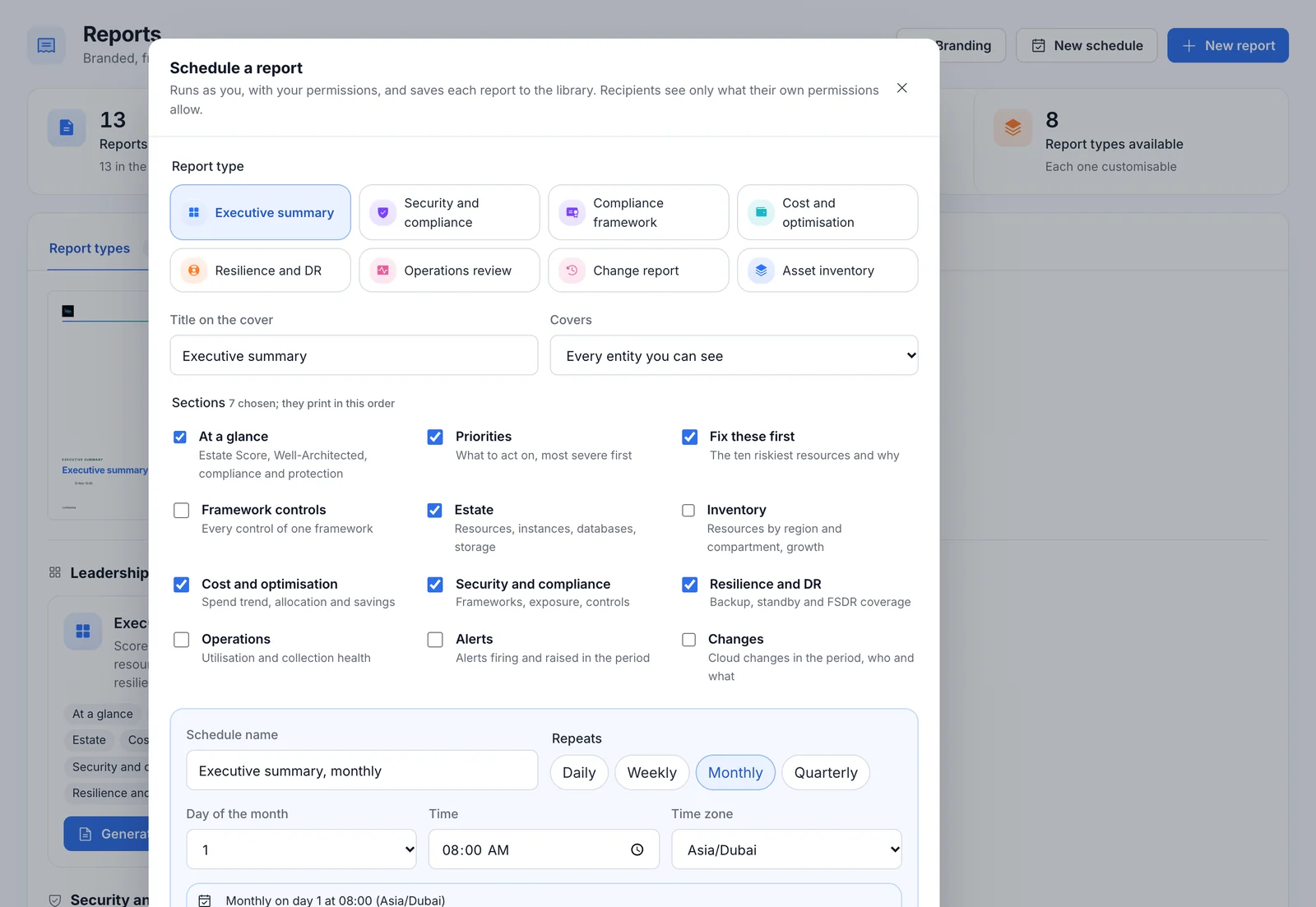
Each type is a starting point. Pick the sections, the entity, the period and the framework, then generate it or put it on a schedule.
Leadership
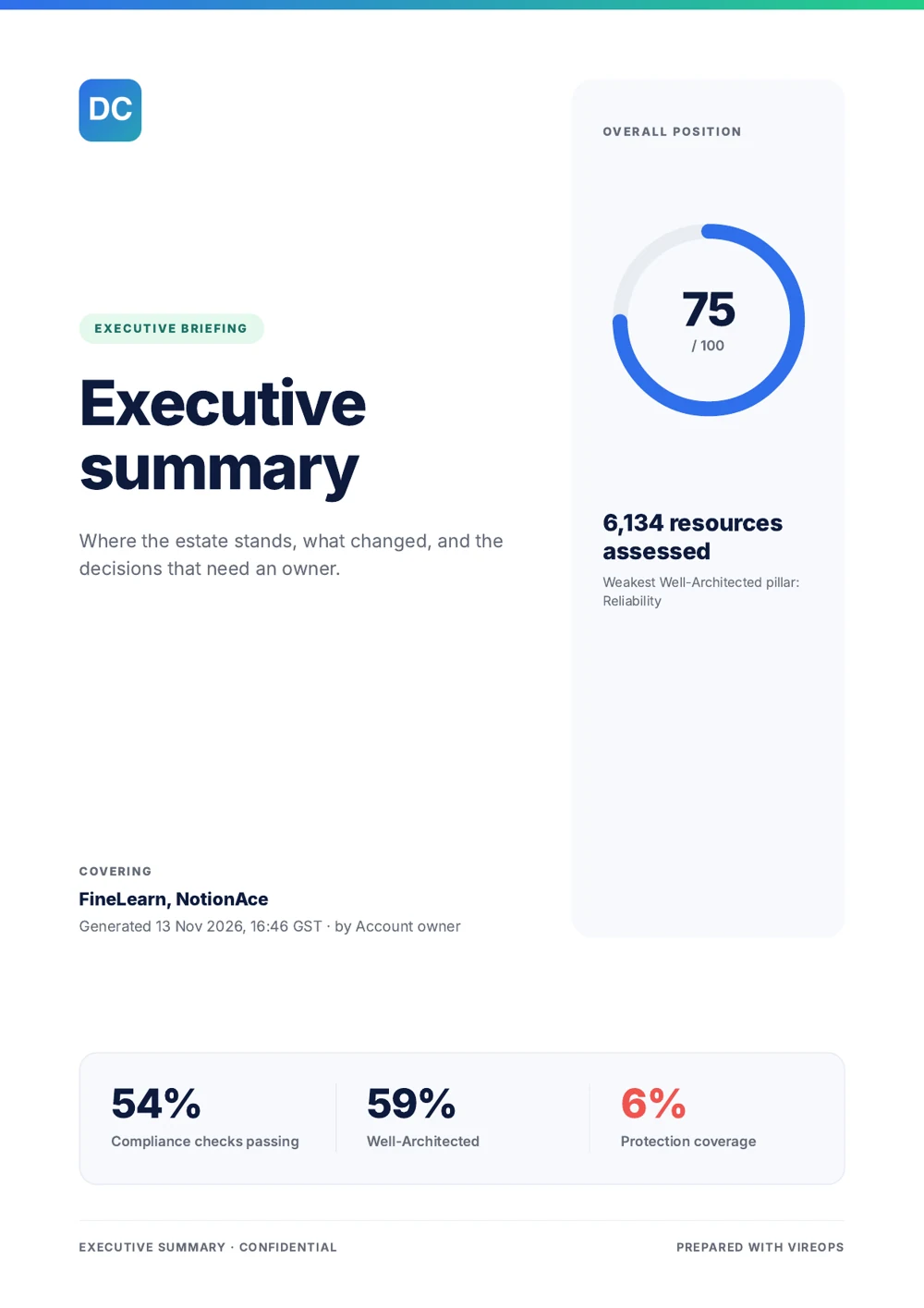
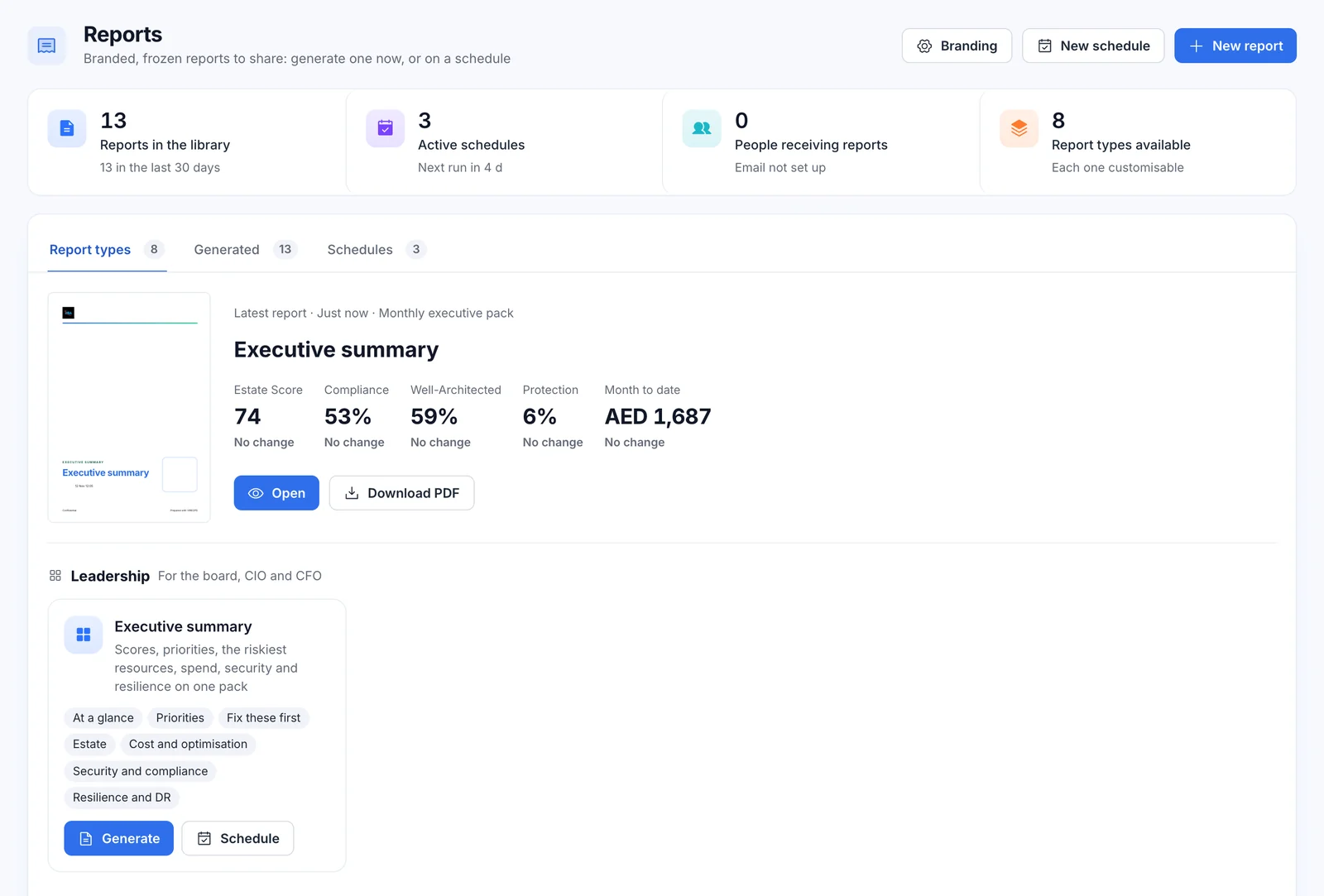
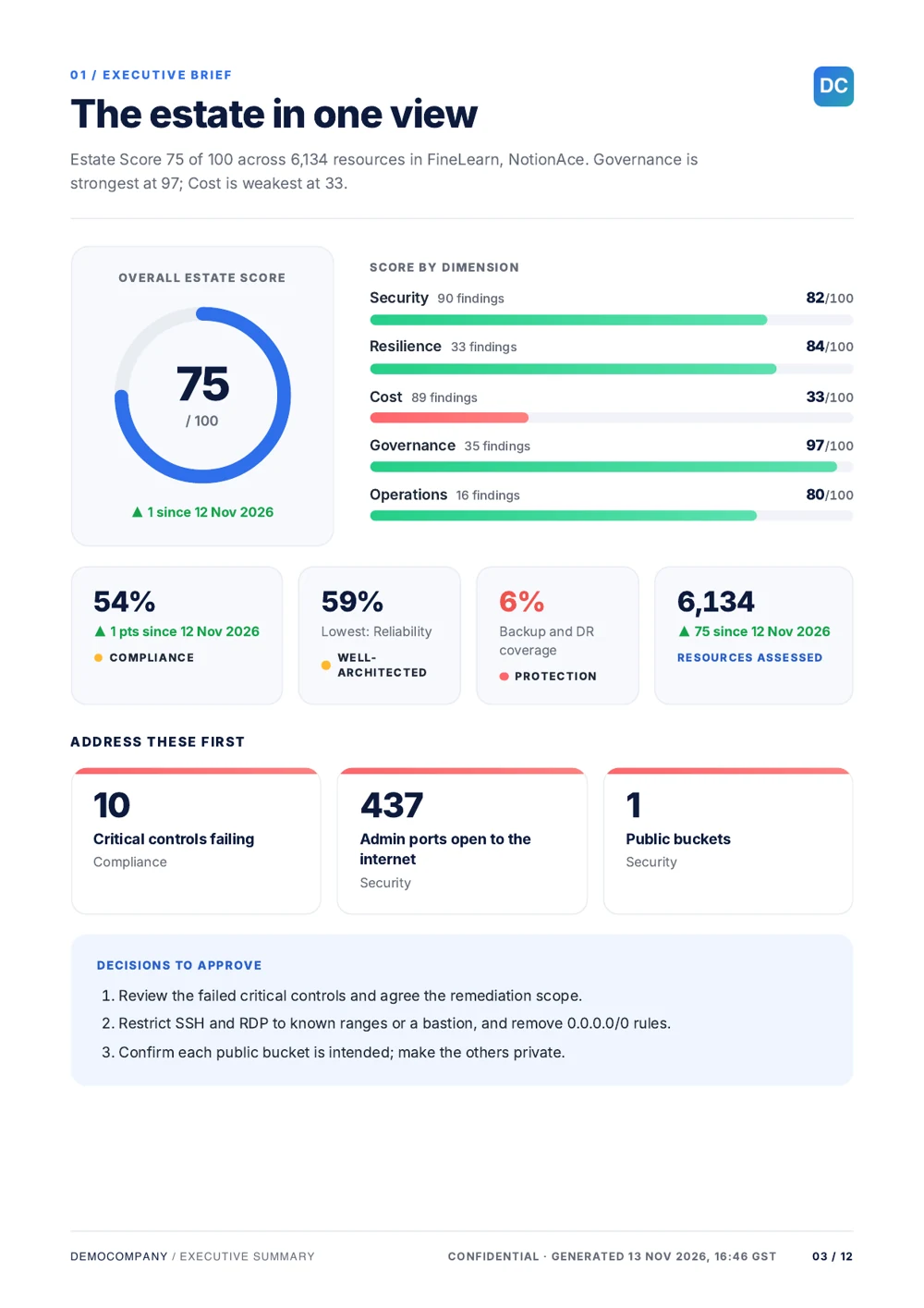
- Executive summary: the score, the three exposures to address first, and the decisions to approve
Security and compliance
- Security and compliance
- Compliance framework: one framework, every control with its status and evidence, for auditors
Finance
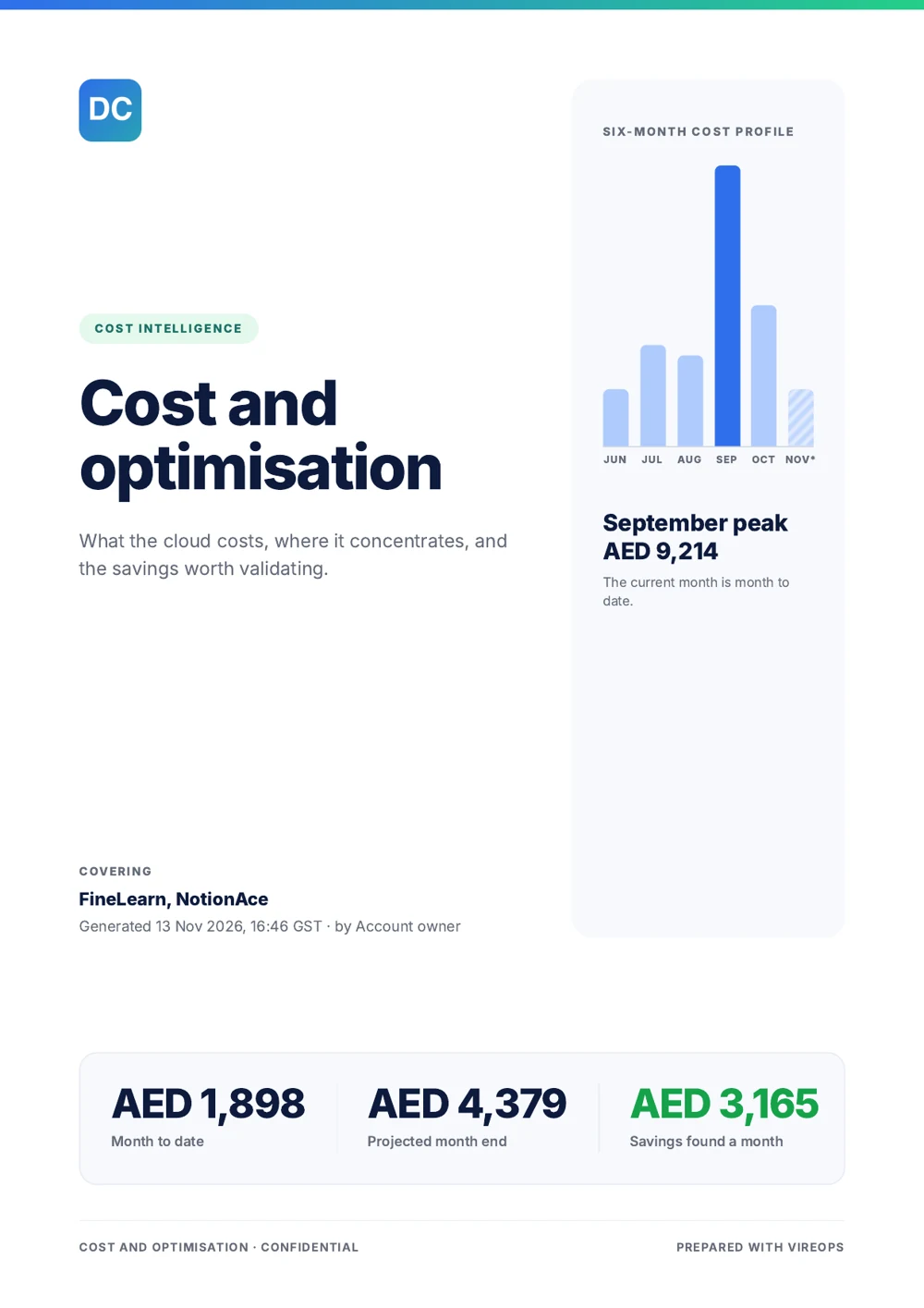
- Cost and optimisation: trend, allocation by compartment and region, most expensive resources, savings
Operations
- Operations review
- Change report
- Asset inventory
Resilience
- Resilience and DR: protection by layer and the recovery gaps that matter
Make it yours
- Any of 12 sections
- One entity, or all of them
- 7, 30 or 90 days of changes and alerts
- The compliance framework you need
Each page makes one statement
Every report type shares one editorial design on A4: a numbered heading, a headline and a lead sentence computed from the figures. For example: "October closed at 4,644. November is at 1,687 so far, 19% more than the same days last month."
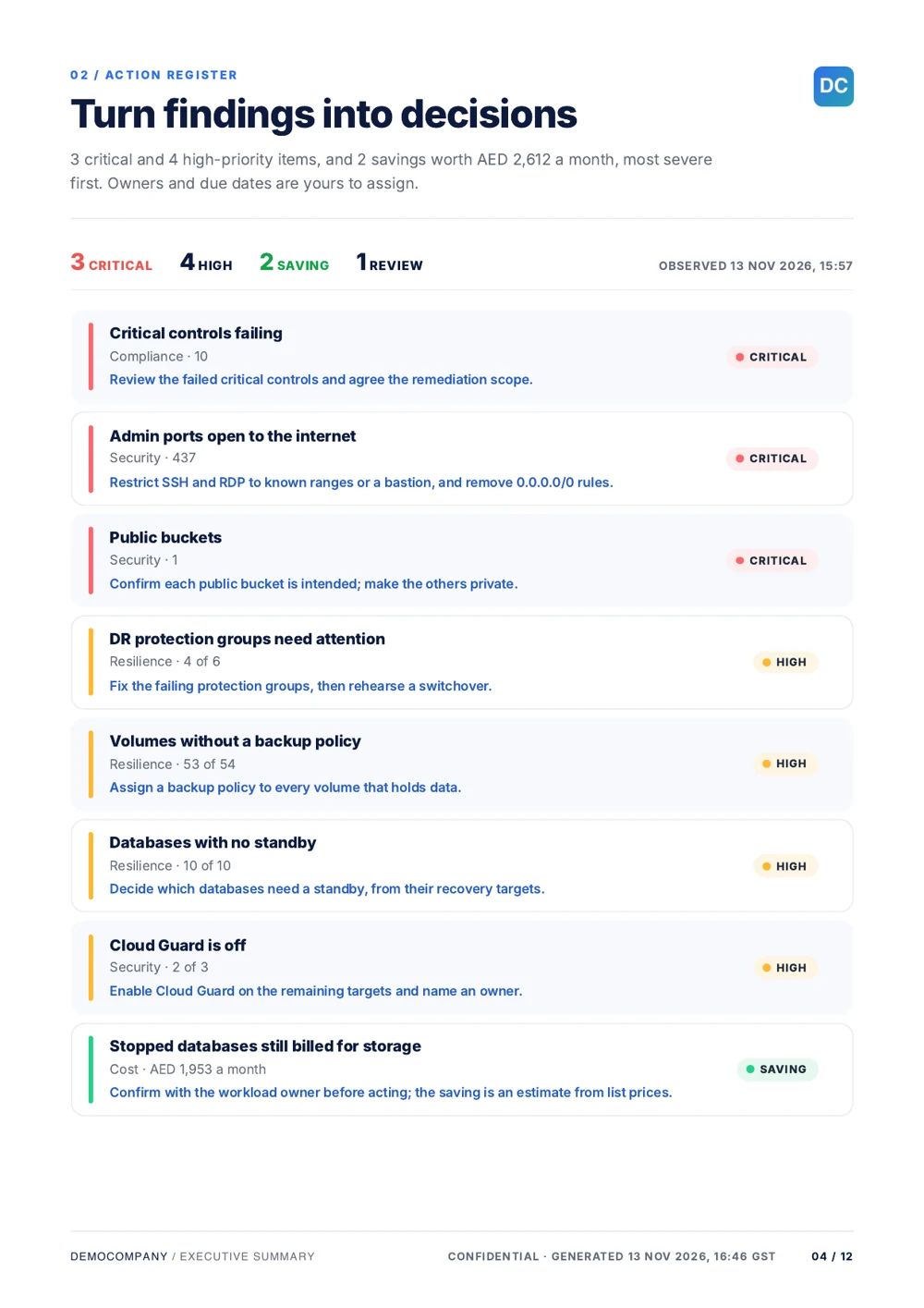
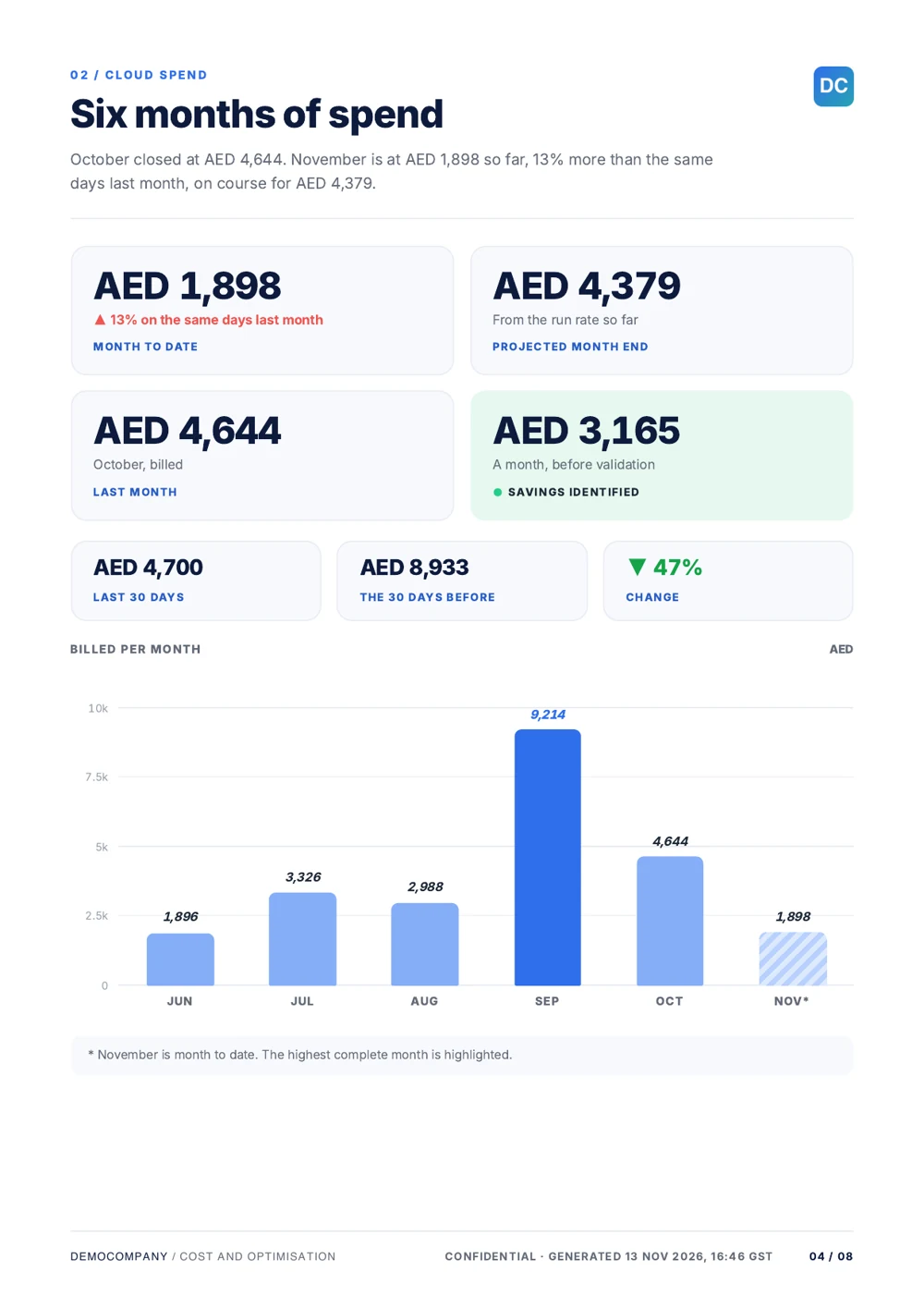
A cover with a hero figure
A six-month cost profile, the Estate Score, a framework's score, protection coverage or changes per day, in one of three cover styles.
Contents with key figures
Each section links to its page, followed by the report's key figures.
Colour that means something
Figures stay navy. Status uses green, amber and coral as dots, bars and rings, and only a critical figure is printed in red.
Layouts follow the content
Risk register, framework coverage with a Well-Architected panel, protection by layer, service composition, allocation and ranked savings that reconcile to the total.
Frozen at generation
Figures never shift after the PDF is made. Long tables continue onto extra pages rather than being cut.
Dated and named
Every footer says when it was generated, with the time zone. Saved files are named after the company, the report and the date.
Twelve sections, pick any
Start from a template, then add or remove sections so each audience gets exactly what it needs.
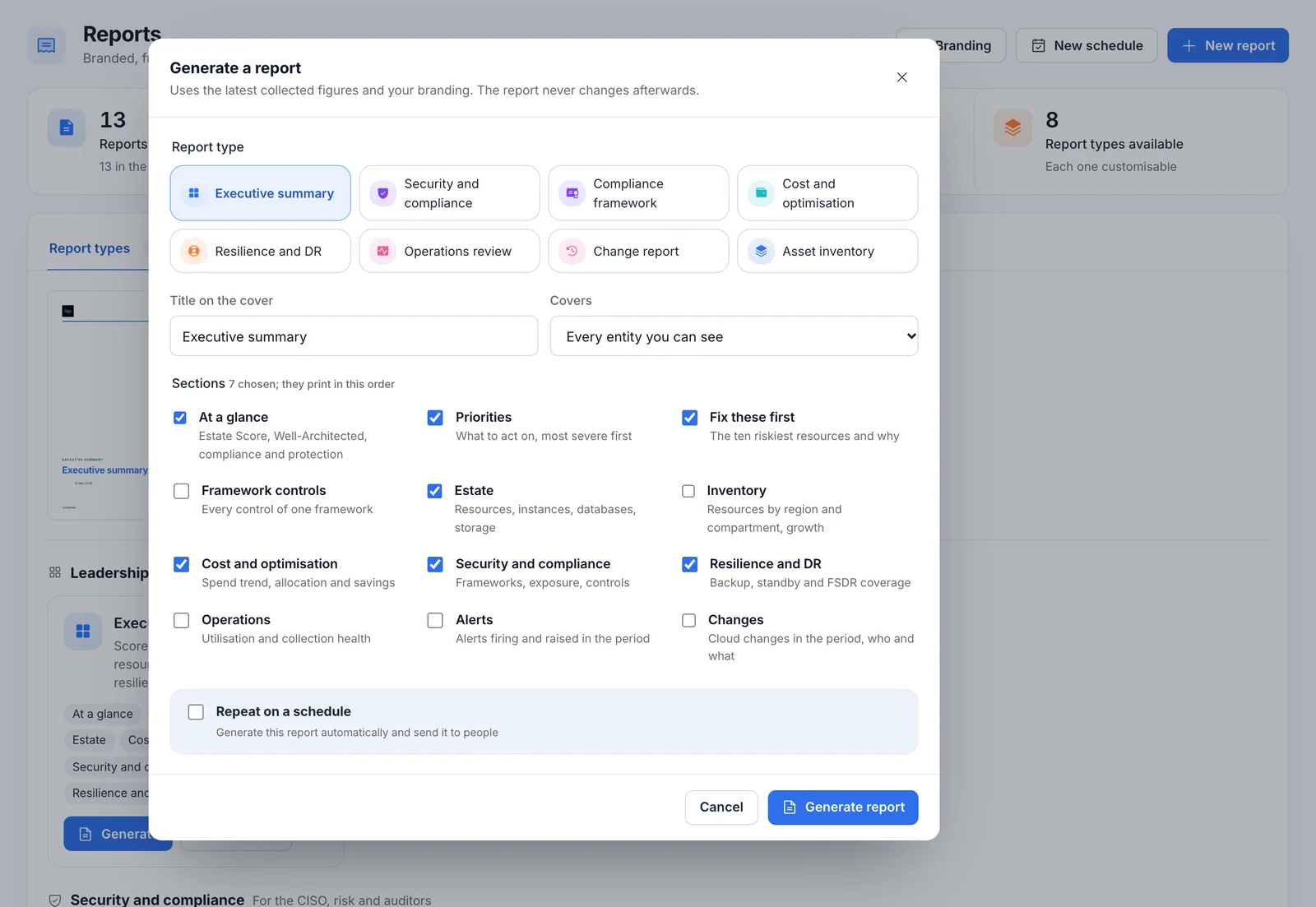
Build a report in one form
Choose the type, sections, entity, period and framework. The library keeps every generated report, grouped by month and filterable by type and by source, by hand or by schedule.
- Download as PDF at any time.
- Authors and administrators can remove a report.
- Up or down figures in the list show the change against the previous report.
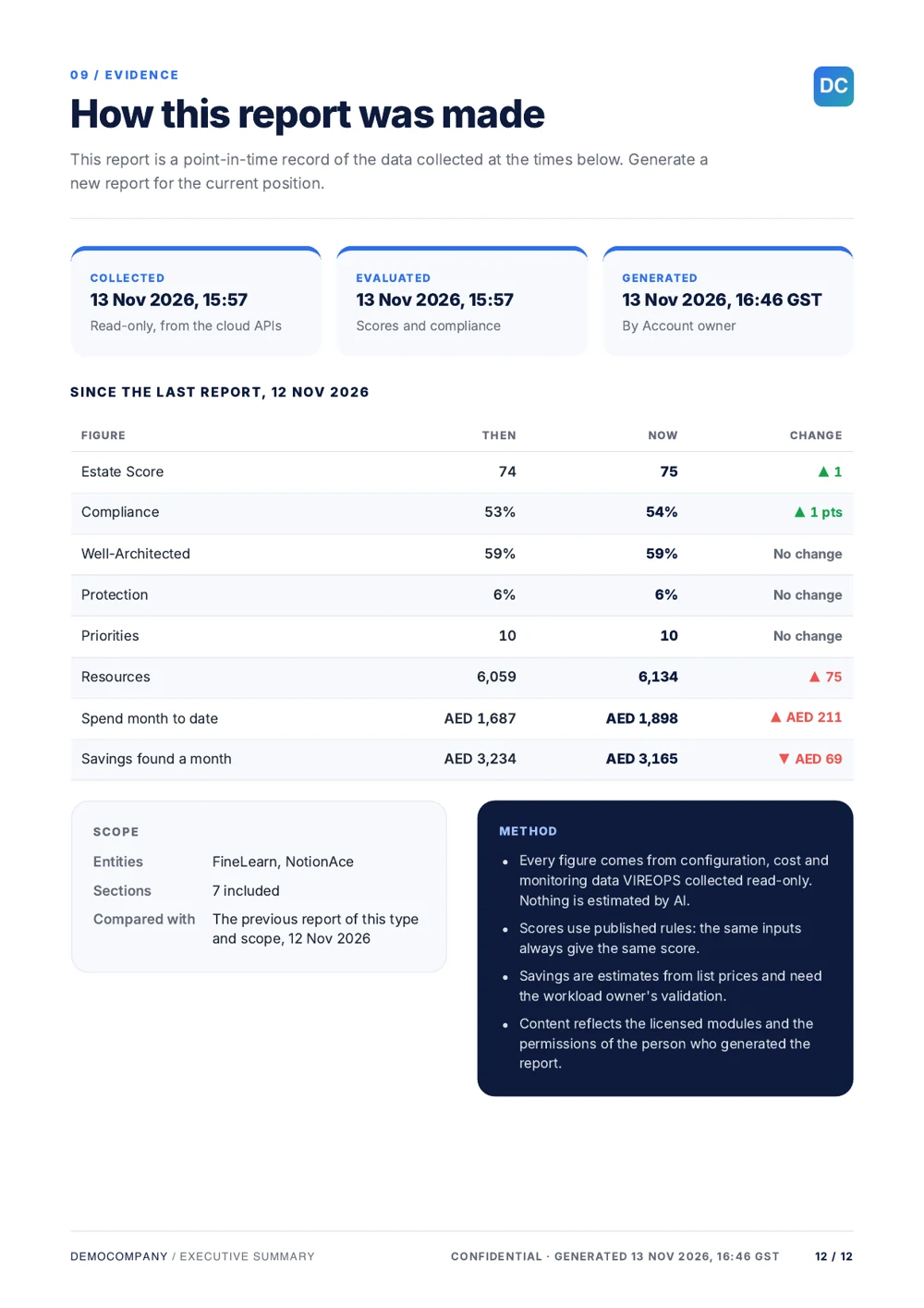
Every report ends on how it was made
The evidence page records when the data was collected, evaluated and generated, the scope, and the method. It compares the headline figures with the previous report of the same kind and scope.
- Compared figures: Estate Score, compliance, framework checks, spend, alerts and changes.
- Templated from the figures, never written by AI.
- Scope stated: the entities, the sections included and what it was compared with.
The monthly pack, without the monthly scramble
Put any report on a schedule. It always lands in the library, and each recipient gets the headline and a link.
- Daily, weekly, monthly or quarterly, on a day of the week or month (or the last day), at a local time in any time zone.
- Pause, resume, edit, delete and "Run now".
- Four suggested schedules: monthly executive pack, weekly operations review, quarterly compliance evidence and month-end cost.
- Runs as the person who created it, with their permissions. If that person is disabled, the run fails and says so.
- Recipients see only what they may see: someone who cannot see every entity a report covers is not sent it.
Your logo, your colours, your cover
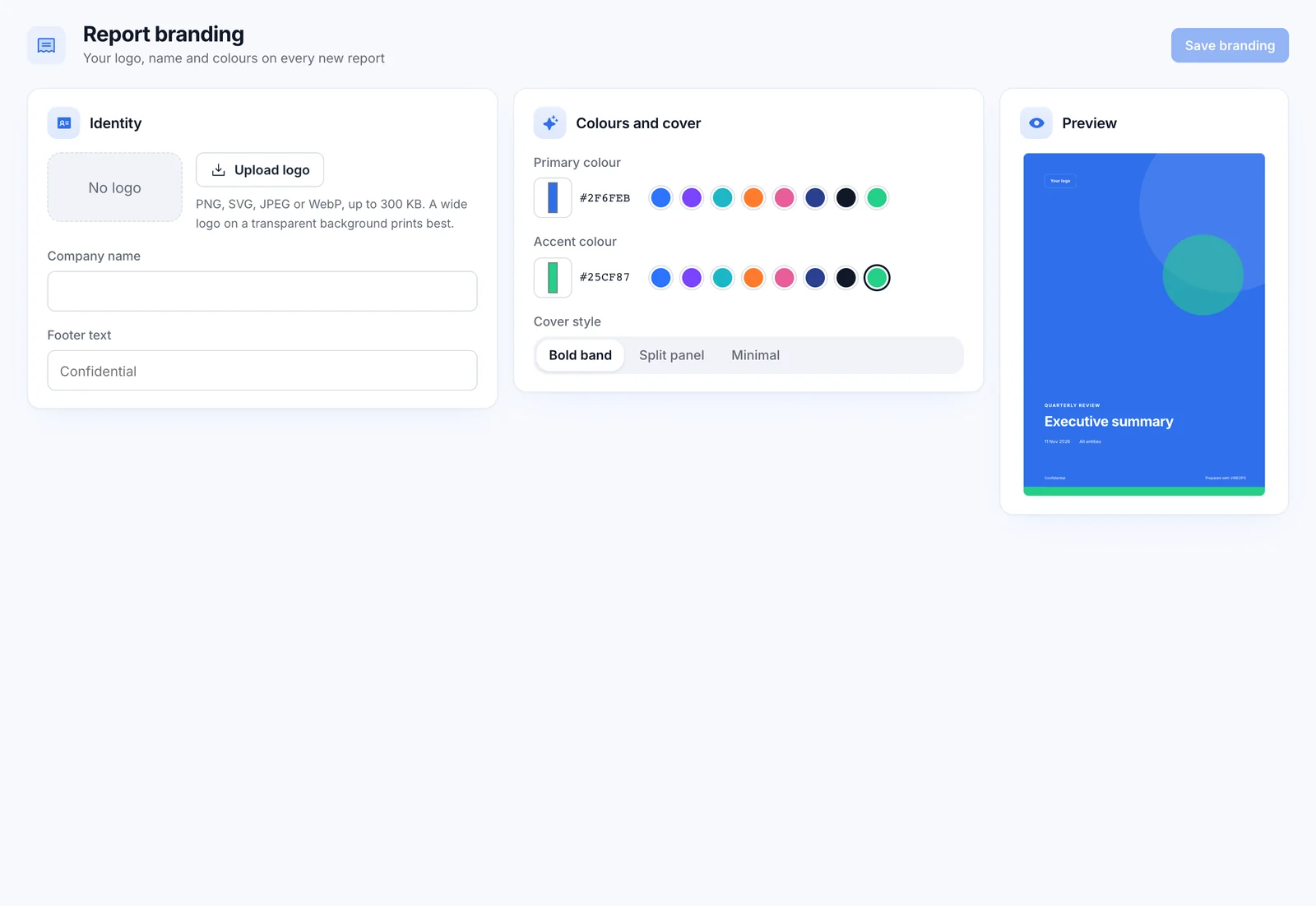
Reports carry your brand, not ours: logo, colours, cover style (split, bold band or minimal) and footer.
- Open data alongside: a Prometheus and Grafana export and an audited CMDB CSV.
Questions about reports
Is any report text written by AI?
No. Headlines and lead sentences are templated from the figures, so the same data always gives the same words. AI is never used to write a report.
Will a report change after it is generated?
No. Figures are frozen at generation. Generate a new report for the current position; it will compare itself with this one.
Can an auditor get just one framework?
Yes. The Compliance framework report covers one framework, with every control, its status and its evidence.
Who can receive a scheduled report?
Anyone you add, as long as they can see every entity the report covers. The schedule runs as its creator, with their permissions, and never as anyone else.
What format are reports?
A4 PDF, branded with your logo, colours, cover style and footer.
Let's map your cloud estate together.
See VIREOPS on a live OCI estate: scored, priced and evidenced in one walkthrough. NotionAce deploys it in your tenancy within days.